Figured Integrations

Figured & QuickBooks Online

Forget separate spreadsheets. Figured connects live with QuickBooks Online to add the farm-specific budgeting, production tracking, and reporting your accounting software can’t do alone.

About QuickBooks Online

Bringing QuickBooks Online & Figured Together

QuickBooks Online is one of the world’s most widely used accounting platforms, built for small practices.
For farm businesses, it handles the general accounts well. Figured adds the farm layer on top, syncing automatically to combine accounting with production tracking, planning, forecasting, and reporting.
  • Cloud-based accounting, accessible from any device.
  • Automatic bank feeds and transaction reconciliation.
  • Built-in invoicing, expense tracking, and reporting.

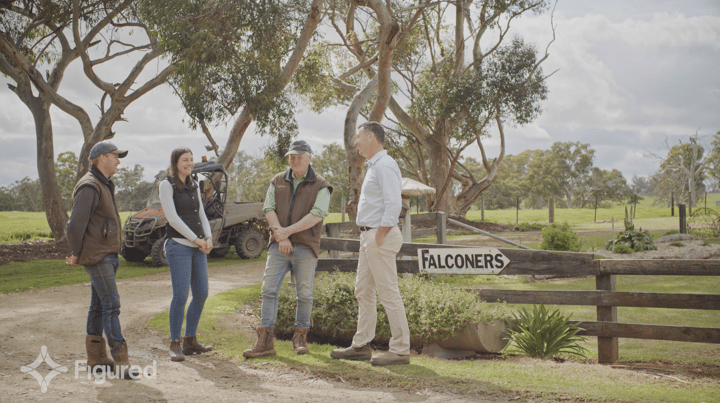
A farmer and his adviser working through the numbers on laptops at the kitchen table
Heard This Before?

“QuickBooks Online handles our accounts. The farm side we have to do in spreadsheets.”

QuickBooks Online is a solid choice for invoicing, expenses, and bank reconciliation. But it was built for compliance, not farm production. Data from the paddock usually ends up in a spreadsheet, updated by hand and hard to reconcile with the accounts.

But what if your spreadsheet data and accounts weren’t separate? Around the world, more farm teams are switching to a platform that connects to QBO and gives the farm side a proper home, pairing the farm’s numbers with the actuals already sitting in QBO. The dashboard is always live, and an accurate reflection of what’s happening in the paddock.

Figured is that platform.

What Figured & QuickBooks Online Do Together

No Entering the Same Data Twice

Figured connects directly to QuickBooks Online, pulling through your chart of accounts and transactions automatically. Actuals sync every few hours, or run a manual sync if you need the numbers sooner.

Live Farm Data All Season

Figured’s production trackers sit on top of your QuickBooks Online accounts, recording livestock movements and crop seasons as they happen. Production and financial data stay in step, without switching between systems.

Farm Budgets, Reports, & Valuations, Built In

Build farm budgets, reforecast through the season, and generate bank-ready reports and livestock valuations, all drawn from your live QuickBooks Online data.

Want to Talk to Someone About Connecting QuickBooks Online with Your Figured Account?

Get in touch with our team.
Get in Touch

Setup

Getting Started Is Easy

Connecting QuickBooks Online and Figured takes minutes. Once linked, your data starts flowing automatically.

Step 1

Create Your Farm

Create your Figured farm and select QuickBooks Online. You’ll be redirected to connect your company, and you’ll need admin access on the QuickBooks Online file.

  • Requires QuickBooks Online admin access.
  • Takes less than 5 minutes to set up.
  • Available on all Figured subscription plans.

Step 2

Data Syncs Automatically

Once connected, transactions and farm financial data flow between Figured and QuickBooks Online on a regular sync schedule.

  • No manual data entry.
  • Updates run in the background.
  • Run a manual sync at any time.

Step 3

Set Up Farm-Specific Tracking

Add livestock, cropping, or production tracking so your QuickBooks Online data turns into farm-specific reports and valuations.

  • Guided setup for your farm type.
  • Support available if you need it.
  • Farm-specific reports from day one.

Need help getting set up?

View the Full Guide

Compliance is now a by-product of having a system that does stuff properly. So because the admin and compliance is taken care of [in Figured], we can spend more time helping clients look forward.

Bridget Telfer
Bridget Telfer Chrisp & Davidson

I can almost remember to the day when we discovered Figured. It’s just been so nice to get off the spreadsheets, get off the pen and paper, get off the napkins, and actually put some useful tools and information out there that you rely on and have confidence in.

Holly Haralson
Holly Haralson Empire Ag

Figured is an online cloud tool that enables clients to plan their cashflow scenario planning for one to five years into the future. Its ability to look at profitability on the farm and not just focus on cash gives a great understanding about how the business is performing.

Mark Edwards
Mark Edwards Murray Nankivell

Figured & QuickBooks Online — FAQ

You need to be the primary admin or a company administrator on the QuickBooks Online company file you’re connecting. This applies whether it’s your own farm’s file or a client’s, so it’s worth confirming access before you start.

Yes, slightly. When you connect through Figured’s integration wizard, you’ll be redirected to Intuit’s authorisation page. As an accounting practice, you’ll select your QuickBooks Online Accountant company first, then your client’s QuickBooks Online company, rather than picking a single company straight away.

Once you’ve made both selections and granted access, Figured starts the first sync with the client’s file automatically. It’s a different flow to a farmer connecting their own file directly, but it’s still just two company selections rather than one.

No. Once a Figured farm is connected to a QuickBooks Online company, it can’t be moved to a different one. If the wrong company gets connected, the fix is to create a new Figured farm and connect that to the correct company.

Yes. If a client runs multiple farming operations under one QuickBooks Online company, Figured’s Multi-Farm feature uses QBO’s location tracking to separate those operations within a single Figured file. Each farm gets its own production tracking and reporting, viewable individually or consolidated across the group.

The first sync pulls across your QBO file’s full history, so it takes longer than every sync after it. Once that finishes, Figured settles into its normal speed of syncing automatically every few hours. If you’re onboarding a file with several years of history, allow time for it to complete before setting up trackers or the chart of accounts.

Figured syncs with QBO automatically through a secure API, but you can trigger an immediate sync any time within the Figured app. You can also view your connections from the same menu to check how long a sync has been running. This is useful straight after reconciling transactions or changing your chart of accounts.

The Books Are Covered. Time to Bring in Your Live Farm Data

Connect Figured to your QuickBooks Online account and add live production data on top, so your numbers stay current all season long.